Commitments List: Know What You’ve Promised Before Cash Moves
Build one commitments list (what you’ve already agreed to pay) so renewals and bills don’t surprise you—and your cash forecast becomes reliable. Includes an Excel template.
📌 Summary
Outcome: No more surprise obligations. Better decisions with the full picture.
Time: 45–60 minutes setup, then 10 minutes/week.
Owner: Finance/Admin owner (or Founder).
Steps: Define commitment → build one list → assign owners + due dates → review weekly → feed forecast.
Metrics: # surprise payments, % items with owner + next due date, overdue renewals avoided.
🎯 What you’ll achieve (in 2 weeks)
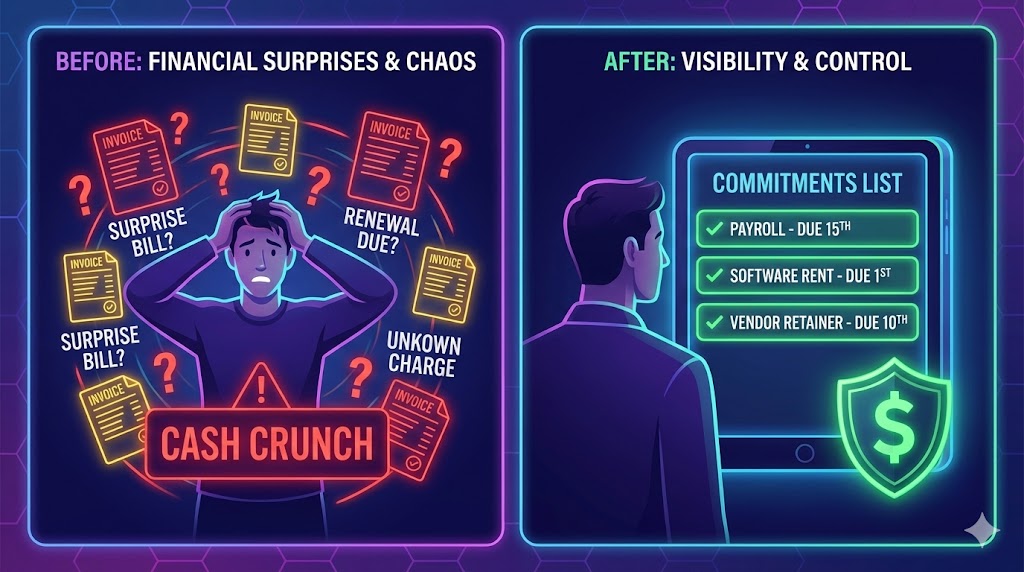
You’ll stop discovering obligations after they’re urgent.
You’ll have one place to answer: “What have we promised, and when does it hit cash?”
Your 8-week cash forecast becomes much more reliable (see #MC-U1: Weekly Rolling 8-Week Cash Forecast (Simple, Non-Model)).
⏱️ Time & effort
Setup: 45–60 minutes
Ongoing: 10 minutes/week
Owner: Finance/Admin owner (or Founder)
Dependencies: None (works with any tool)
🚦 When to use this (signals)
Use this quick win if:
You get surprised by “we already agreed to pay this.”
Recurring charges have no clear owner.
Vendor work happens without clear approval.
Commitments are scattered across email/DMs/contracts.
🫱🏽🫲🏻 What counts as a “commitment”
A commitment is any obligation that will likely require cash, even if:
the invoice hasn’t arrived yet, or
the exact amount isn’t final, or
it was agreed verbally.
If it’s real enough to create risk, it belongs on the list.
Examples:
Payroll, bonuses, taxes
Vendor retainers, contractor monthly fees
Annual renewals (software, insurance)
Expected legal/accounting bills
Minimum spends, cancellation fees
Signed SOWs not yet billed

🧩 Step-by-step (follow in order)
Step 1) Create one “single source of truth”
Pick one place where commitments live:
Super (if you’re centralizing ops + finance)
A spreadsheet
Any simple table tool
Rule: commitments should not live only in email or chat.
Step 2) Track the minimum fields (keep it lightweight)
Each commitment should have:
Commitment name
Vendor / counterparty
Owner (one person accountable)
Status (Expected / Confirmed / Paid / Cancelled / Disputed)
Amount (or range)
Payment pattern (how cash moves)
Cadence (monthly, yearly, etc.)
Next due date
Notes (trigger/terms)
Step 3) Do a 30-minute “commitment sweep”
Check where commitments hide:
Bank statements (recurring charges)
Paid/unpaid invoices
Contracts/emails for “we agreed to…”
Add everything first. Clean later.
Step 4) Assign owners + next due dates (this is the magic)
A list without accountability becomes a graveyard.
Rules:
Every item has one owner
Every item has a next due date
Unknown amount? use a range
Step 5) Review weekly (10 minutes)
Same day every week:
What new commitments appeared?
What’s due in the next 2 weeks?
What changed (timing, amount, status)?
Any actions (renegotiate, cancel, delay, accelerate collections)?
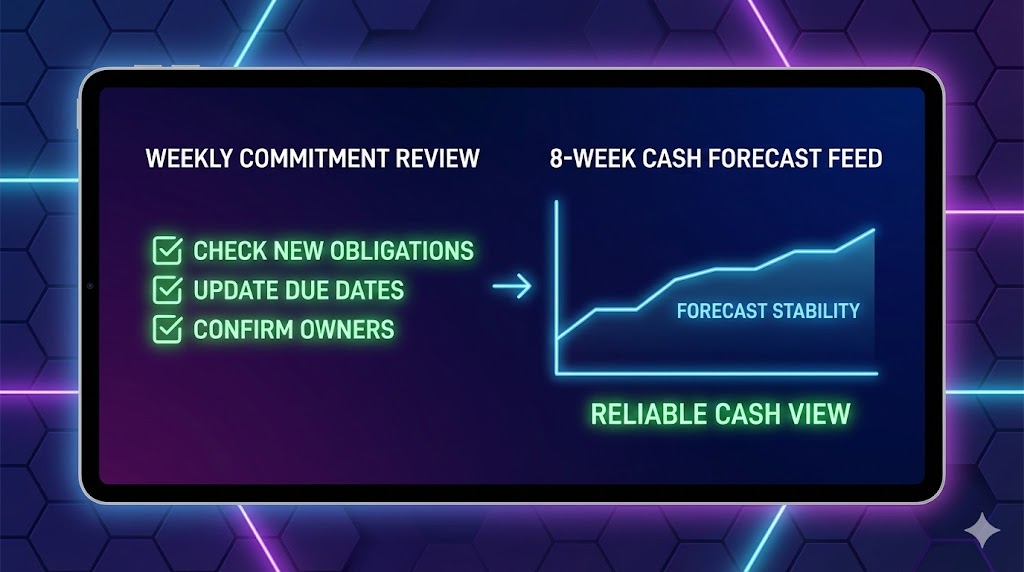
Step 6) Feed it into your 8-week cash forecast
Anything due in the next 8 weeks should show up in the cash forecast.
If it isn’t in the forecast, it’s either not real—or you’re flying blind.
📥 Templates
Use this Excel template to get your list live quickly.
What you’ll get
A single commitments table with the key fields
Dropdowns for Status and Cadence
Examples you can edit or delete
A short “How to Use” tab with the weekly routine
How to use
Add your current commitments from bank statements, invoices, and contracts.
Make sure every item has an Owner and Next due date.
Review weekly and push upcoming commitments into your cash forecast.
Download:
✅ Done Definition (DoD)
You’re “done” when:
One commitments list exists and is trusted
Every item has an owner + next due date
Recurring commitments and renewals are visible
Weekly review is scheduled
The list informs the 8-week cash forecast
⚠️ Common mistakes (avoid these)
Mistake: Tracking only invoices → Do this instead: track obligations before invoices exist (renewals, retainers, signed SOWs).
Mistake: No owner → Do this instead: one accountable owner per commitment, always.
Mistake: No next due date → Do this instead: every item needs a next cash date, even if the amount is a range.
Mistake: “We’ll update it later” → Do this instead: a weekly review on the calendar or the list dies.
Mistake: Over-detailing the sheet → Do this instead: keep fields minimal so it stays maintained.
📈 How to know it’s working (in 2 weeks)
Fewer “surprise” payments and last-minute scrambles
Clear view of what’s due in the next 2 weeks
Your 8-week cash forecast becomes more stable (fewer big swings week to week)
Renewals/retainers stop being discovered after the deadline
❓ FAQ
Isn’t this the same as Accounts Payable (AP)?
Not exactly. AP is usually “invoices received.” A commitments list includes obligations before the invoice shows up.
How do I handle yearly commitments paid monthly (or monthly commitments paid annually upfront)?
Track the obligation and the cash schedule separately. Put the full commitment value in Amount (or a range), then use Payment Pattern to describe how it’s paid (e.g., “Annual commitment paid monthly” or “Paid annually upfront”). Set Cadence and Next due date to match the next expected cash movement.
What if a commitment is uncertain?
Include it with a range and mark it “Expected.” Better to see the risk than ignore it.
🔗 Related quick wins
Want this to run automatically?
You can do this manually with the template above. If you’re using Super, you can log commitments, link them to bills and invoices, and keep an always-updated view of what’s coming due—without maintaining a separate spreadsheet.