A Lightweight Qualification Script + 3 Disqualifiers
Use a short qualification script and 3 disqualifiers to protect time, focus on the right deals, and improve win rates.
📌 Summary
Outcome: Fewer dead-end calls, faster cycles, higher close rate.
Time: 30–45 minutes to set up, then 2 minutes per lead to apply.
Owner: Whoever runs first calls (Founder / Sales).
Steps: Define your “qualified” bar → ask 6 questions → apply 3 disqualifiers → confirm next step or close out.
Metrics: % leads disqualified early, discovery→proposal conversion, average sales cycle.
🎯 What you’ll achieve (in 2 weeks)
You’ll stop spending time on leads who can’t buy, won’t buy, or won’t buy soon.
You’ll make qualification consistent across the team (not vibes).
You’ll learn which segments convert—and which are noise.
⏱️ Time & effort
Setup: 30–45 minutes
Ongoing: 2 minutes per inbound lead (or per first call)
Owner: Sales lead / Founder
Dependencies: None (works with any tool)
🚦 When to use this (signals)
Use this quick win if:
Your calendar is full but deals don’t progress.
You do long calls with unclear outcomes.
“Good conversations” rarely turn into proposals.
You struggle to say “no” quickly.
⭐️ The goal (what “qualified” means)
Before writing questions, decide your minimum bar. Keep it short:
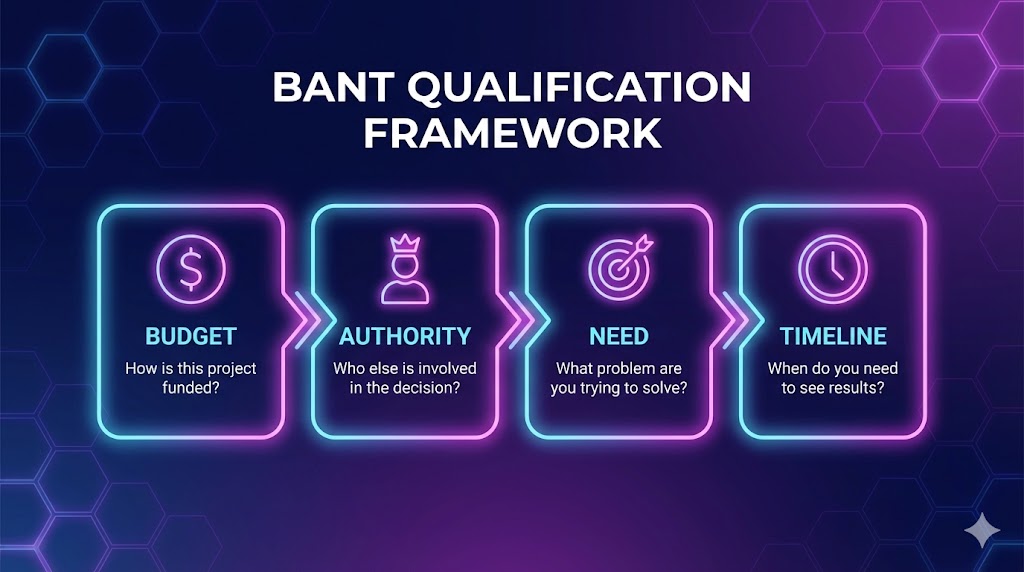
A lead is qualified if they have:
a real problem you solve,
a buyer or champion,
a plausible timeline,
the ability to pay (or a clear path to budget).
If you can’t get those signals, you don’t advance the deal.
🧩 Step-by-step (follow in order)
Step 1) Set your qualification questions (6 total)
Ask these in the first call or first exchange. Keep it conversational.
What are you trying to achieve in the next 30–90 days?
What’s the current process today (and what’s painful about it)?
What happens if you do nothing? (cost of inaction)
Who will use this day-to-day, and who decides?
What does a “good outcome” look like? (success criteria)
If we agree it’s a fit, what’s the next step and timing? (decision steps)
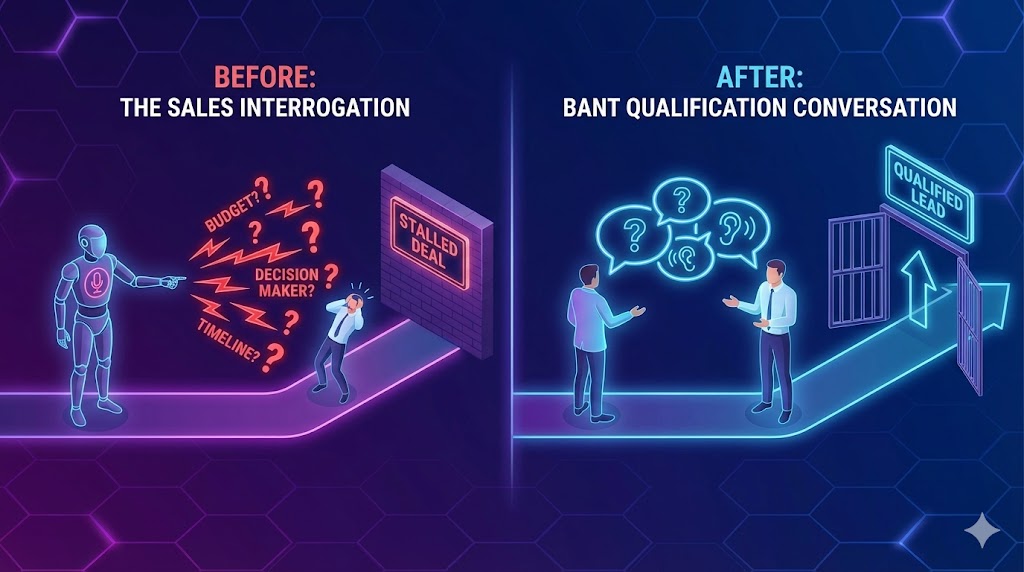
You’re not interrogating. You’re testing if there’s a real project.
Step 2) Apply 3 disqualifiers (simple, non-negotiable)
Pick three that match your business. Here are strong defaults for early-stage B2B:
Disqualifier #1 — No owner / no decision path
If they can’t name a decision-maker or champion and can’t explain how decisions get made.
Disqualifier #2 — No timeline
If there’s no intent to act in the next 90 days (or whatever window fits your cycle).
Disqualifier #3 — No budget reality
If they can’t afford it and there’s no credible path to budget (not “maybe later”).
The goal is not to “win the argument.” It’s to protect your time.

Step 3) End every call with one of three outcomes
At the end of the conversation, do one of these:
Advance (schedule next meeting with agenda + attendees)
Park (not now—set a follow-up date and what must change)
Close out (not a fit—end cleanly)
No fourth option (“let’s see”).
Step 4) Write your “not now” and “not a fit” language (so you actually use it)
You need two short scripts you’re comfortable saying. Keep them respectful:
Not now: “It sounds like the timing isn’t right. If X changes, we should revisit. Want me to follow up in [date]?”
Not a fit: “Based on what you shared, we’re probably not the best fit because [one reason]. I’d rather not waste your time.”
Step 5) Review weekly and tighten the bar
Once a week (10 minutes):
Where did the best leads come from?
Which disqualifier showed up most?
What one question improved clarity the most?
Then adjust your script.
✅ Done Definition (DoD)
You’re “done” when:
You have a 6-question script everyone uses
You’ve chosen 3 disqualifiers and you enforce them
Every first call ends in Advance / Park / Close out
You review outcomes weekly and refine
⚠️ Common mistakes (avoid these)
Mistake: Asking 15 questions → Do this instead: 6 is enough; go deeper only when signals are strong.
Mistake: Treating “interest” as intent → Do this instead: require a timeline and decision steps.
Mistake: Avoiding money talk → Do this instead: test budget reality early, politely.
Mistake: “Maybe next month” with no follow-up date → Do this instead: park with a date and a condition.
📈 How to know it’s working (in 2 weeks)
Efficiency metric: more leads disqualified early (this is good)
Quality metric: higher % of discovery calls that move to next step
Speed metric: fewer stalled deals, shorter cycle time
❓ FAQ
Is this too aggressive for early relationships?
No—if you’re polite and transparent. The aggressiveness is in your internal discipline, not your tone.
What if we sell to very small businesses where “decision-maker” is unclear?
Then your “decision path” question becomes: “Who besides you needs to be comfortable with this?”
What if we’re B2C?
Use the same structure but swap “decision-maker” for “ability to pay” and “motivation to act now.”
Where do I put “parked” leads in my pipeline (and how do I manage them)?
Create a dedicated status or stage like “Parked / Nurture” (separate from your active pipeline). Park deals only if (1) there’s a clear reason (timing/budget/priorities) and (2) you set a next review date. Review the Parked list weekly or biweekly and do one of three things: reactivate (new timeline), keep parked (update date + condition), or close out (no change after 2–3 cycles).
🔗 Related quick wins
Follow-Up SLA: Respond to New Leads Within a Set Time (and Track It)
Define Your Sales Pipeline Stages (with Clear Entry/Exit Criteria)
Want this to run automatically?
You can implement this with any tools. If you’re using Super, you can standardize qualification fields, enforce disqualifier rules, and track stage progression in one place.