Demand Capture Basics: One CTA + One Form + One Thank-You Flow
Set one primary CTA, one short form, and one simple thank-you flow so inbound leads are captured, routed to an owner, and followed up consistently.
📌 Summary
Outcome: Turn interest into trackable leads (without a complex marketing stack).
Time: 60–90 minutes setup, then 10 minutes/week.
Owner: Founder / Marketing / Ops.
Steps: Pick one CTA → set one form → set one thank-you flow → route every submission → review weekly.
Metrics: CTA conversion rate, form completion rate, lead-source mix, speed-to-first-response.
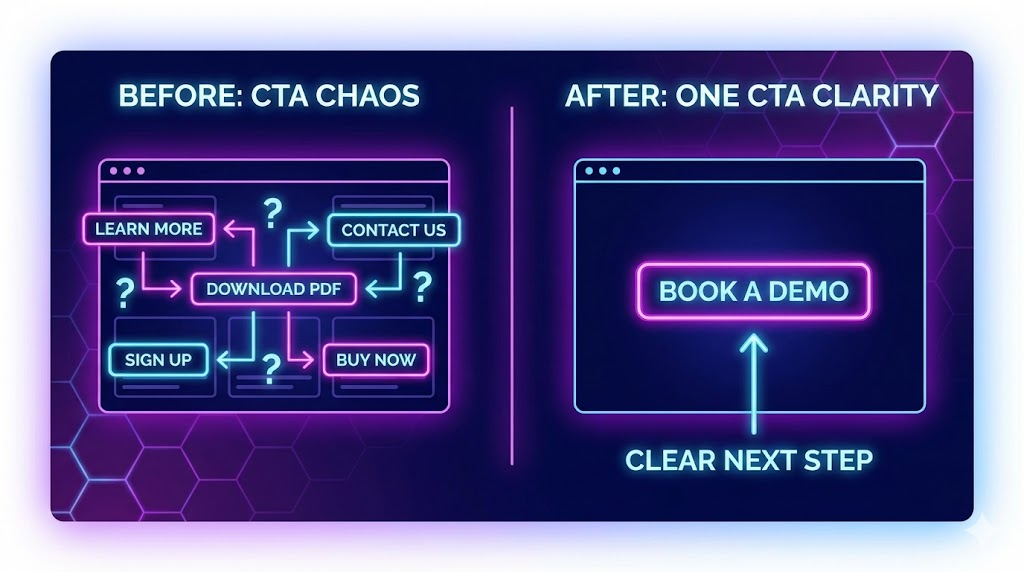
🎯 What you’ll achieve (in 2 weeks)
A clear “front door” for inbound (no more scattered DMs and random emails).
Cleaner lead data, so follow-up is consistent.
A simple system you can improve every week.
⏱️ Time & effort
Setup: 60–90 minutes
Ongoing: 10 minutes/week
Owner: Founder / Marketing / Ops
Dependencies: A website/landing page + a form tool (any)
🚦 When to use this (signals)
Use this quick win if:
Leads arrive via Ms/email and get lost.
Your website has multiple CTAs and none convert well.
Form submissions don’t reach the right person quickly.
You can’t answer: “Where do leads come from, and what happens next?”
🧩 Step-by-step (follow in order)
Step 1) Choose ONE primary CTA (make it unmissable)
Pick one action you want most visitors to take.
Common options:
Request a demo
Get a quote
Book a call
Apply
Contact sales
Start a trial
Rule: You can keep secondary CTAs, but one should be the default everywhere.
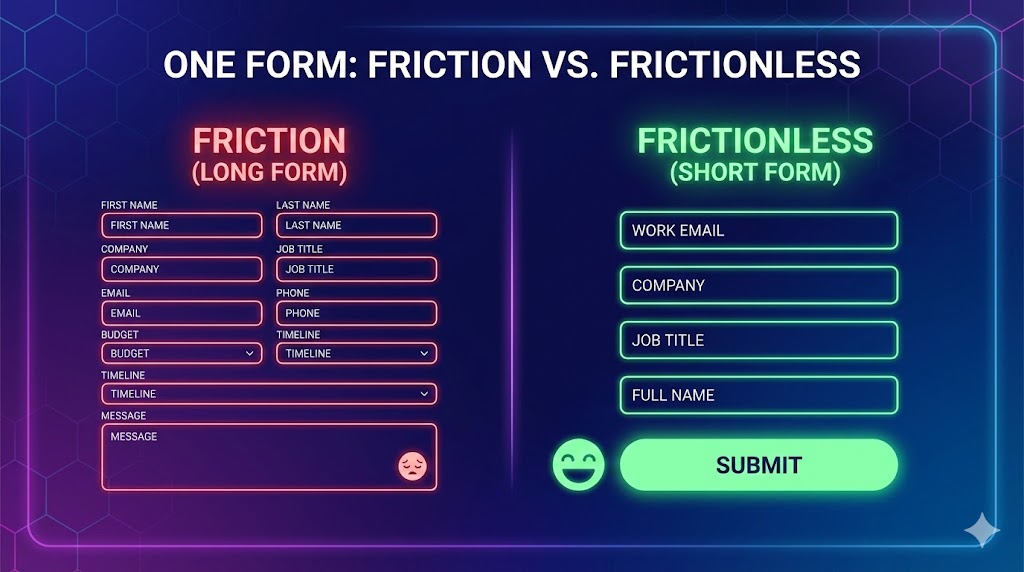
Step 2) Create ONE form that matches the CTA
Keep it short. Ask only what you’ll actually use.
Recommended minimum fields
Name
Email (or phone — pick one as primary)
Company / project name
One qualifying question (pick one):
“What are you trying to achieve?” (free text)
“Which option best describes you?” (dropdown)
“What’s your timeline?” (dropdown)
Optional fields (only if they change your follow-up)
Company size band
Location
Budget band
Step 3) Capture “Lead Source” (so you learn what works)
This is the simplest way to improve your demand engine over time. Two ways:
Best: capture UTM source/medium/campaign automatically (hidden fields).
Fallback: add a required dropdown (Website / Google / LinkedIn / Referral / Partner / Event / Other).
Rule: No lead should enter your system without a source.
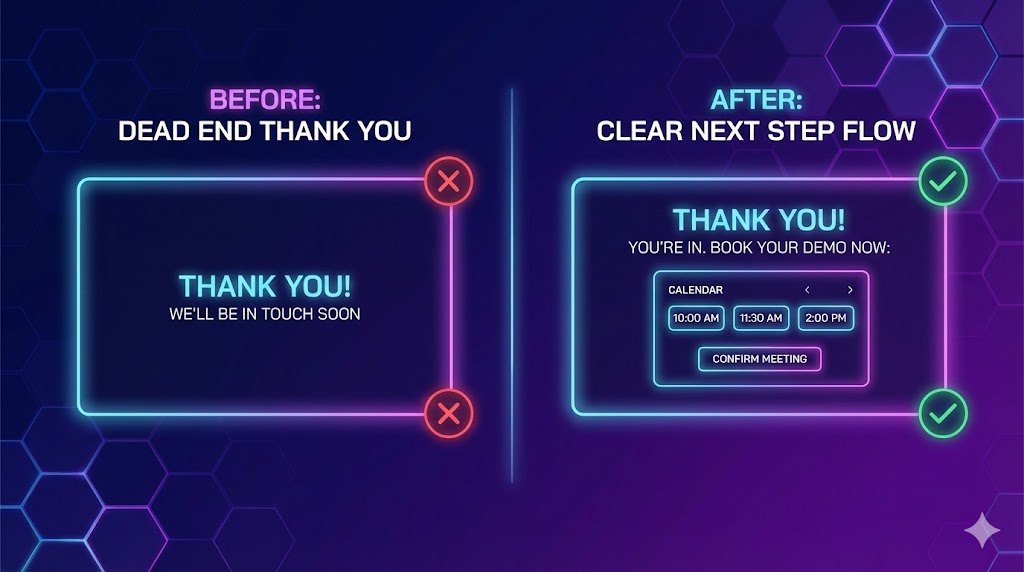
Step 4) Build a simple thank-you flow (don’t waste the moment)
After submit, do two things:
A) Confirmation (instant)
Set expectations: “Thanks — we got it. Here’s what happens next.”
B) One next step (choose one)
Let them book a slot (calendar)
Share a short 1-page overview / pricing page
Ask one extra question (optional)
Rule: One next step. Don’t overwhelm.
Step 5) Route every submission to an owner (same-day)
A lead without an owner is dead.
Minimum routing:
Every submission goes to a shared inbox and one named owner.
Set a basic response target (e.g., same day or <24 hours).
Step 6) Weekly review (10 minutes) + one improvement
Once per week, check:
submissions
top lead sources
response time
% that become qualified conversations
Then change one thing (CTA copy, form length, routing, thank-you step).
✅ Done Definition (DoD)
You’re “done” when:
Your site has one primary CTA
One short form exists
Lead source is captured (UTM or dropdown)
Every submission has an owner + response target
Thank-you page sets expectations + one next step
Weekly review is scheduled
⚠️ Common mistakes (avoid these)
Mistake: Too many CTAs → Do this instead: one primary CTA, everywhere.
Mistake: Long forms → Do this instead: minimum fields + one qualifier.
Mistake: No lead source → Do this instead: UTMs or a required dropdown.
Mistake: Submissions go into a black hole → Do this instead: assign an owner and track response time.
Mistake: No follow-up plan → Do this instead: thank-you flow + next step.
📈 How to know it’s working (in 2 weeks)
You can say exactly how many leads came in and from where.
Fewer leads get lost in DMs/email.
Faster response time (same-day becomes normal).
You start seeing quality differences by source.
❓ FAQ
What if we don’t have a website yet?
Use a simple one-page landing page (or Notion/Google Site) with one CTA + one form. The workflow matters more than design.
Should we ask for phone or email?
Pick one as primary. Email is easiest; phone can increase qualification but may lower completion rate.
What if we have multiple audiences?
Start with one “front door.” Later, add a second CTA + form for a second audience.
Do we need automation?
No. Start manual. The key is: capture, route, respond, review.
🔗 Related quick wins
⚙️ Want this to run automatically?
You can implement this with any tools (form + inbox + sheet/CRM). If you’re using Super, you can capture leads, enforce lead source, route to an owner, and track response time in one place.